Coffee Machine — Command-Line Simulator
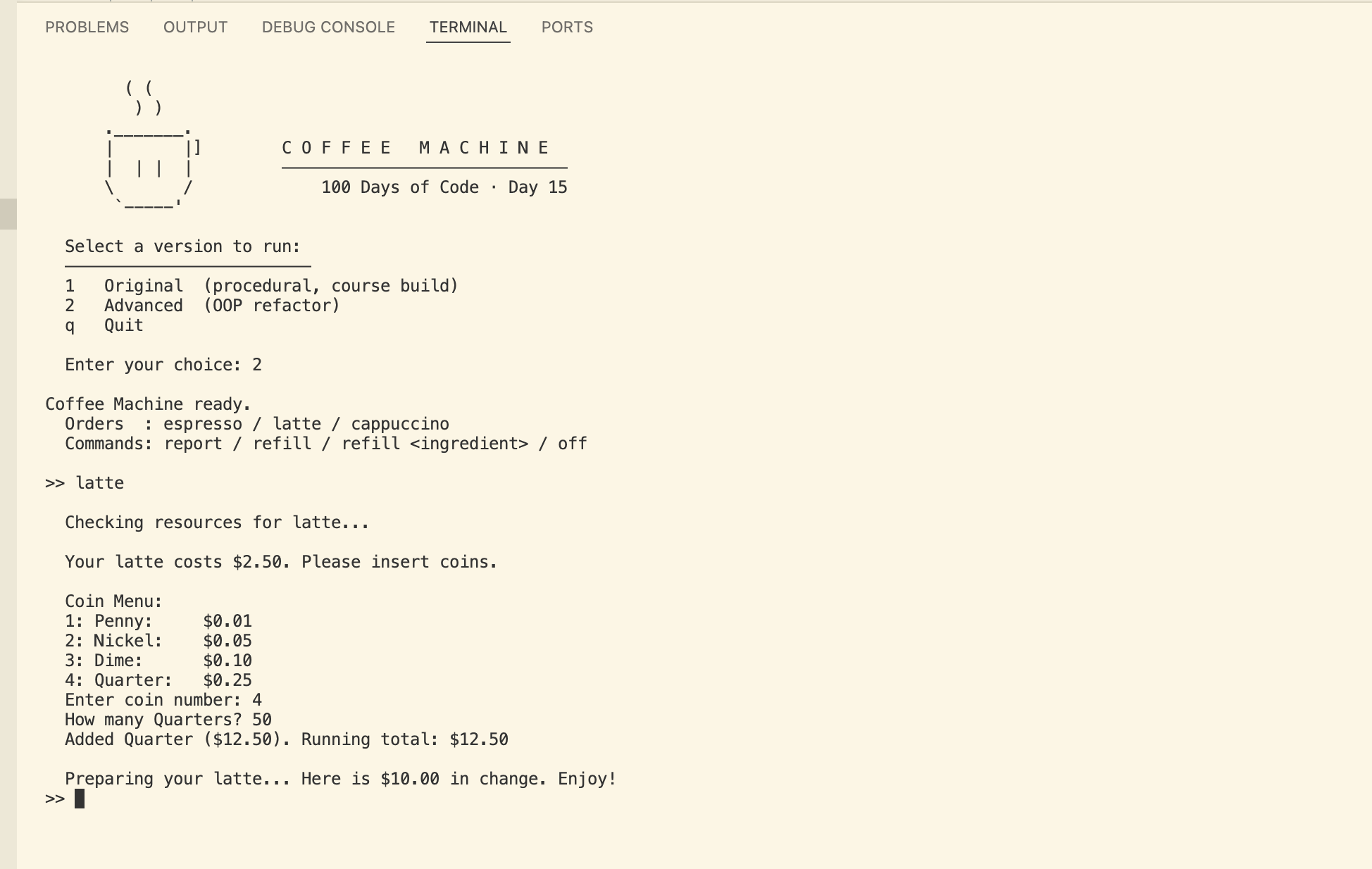
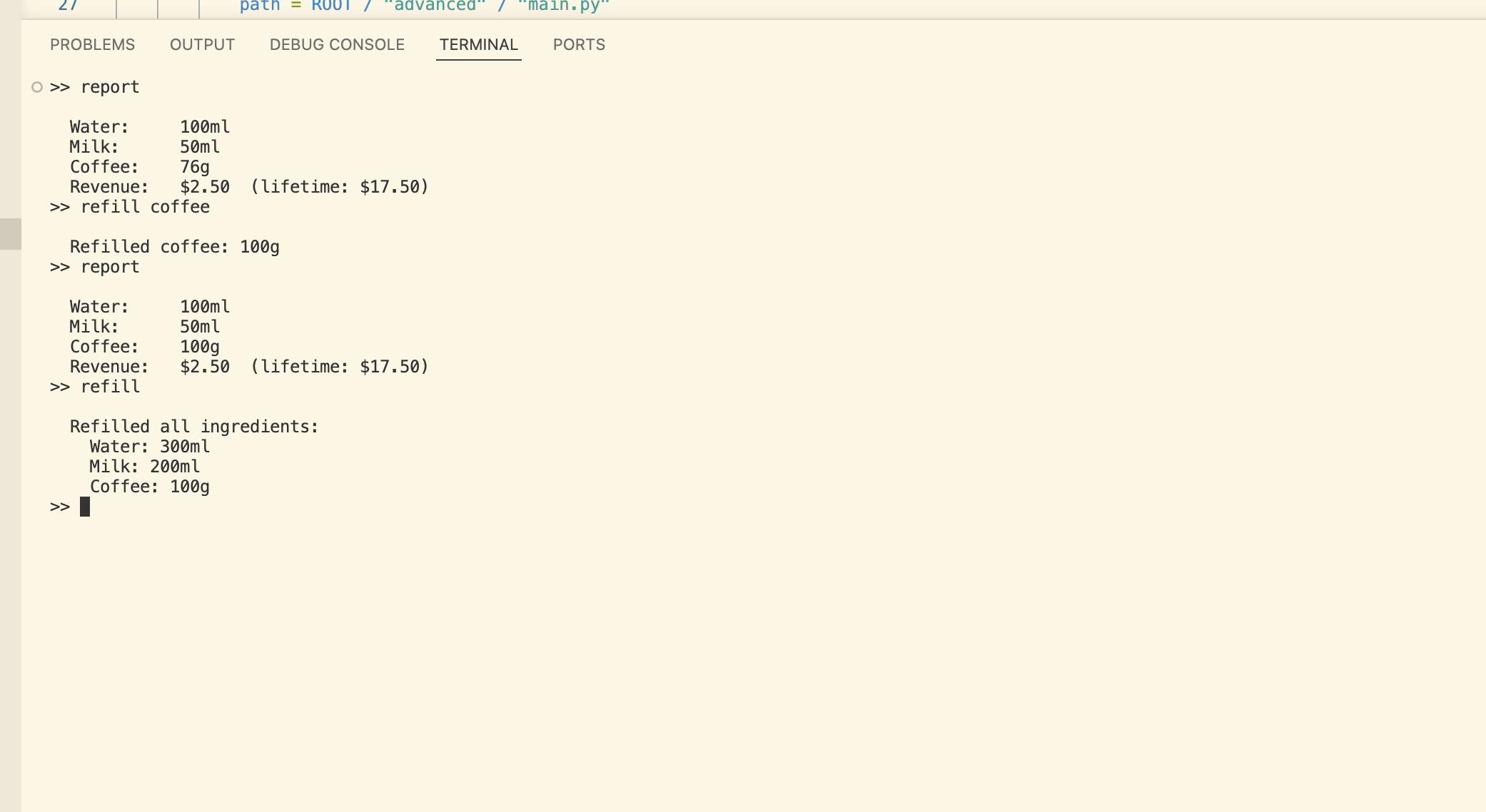
I built this as Day 15 of my 100 Days of Code journey -- a fully functional coffee machine simulator that runs entirely in the terminal. The machine tracks ingredient resources, processes coin-by-coin payments, calculates change, and even refills ingredients on command. What makes it interesting is that the repo ships two builds side by side: the original procedural script from the course, and a complete OOP refactor I wrote right after to see how the same problem looks when concerns are properly separated.
Overview
Problem
The course exercise does a great job teaching Python fundamentals through something tangible -- dictionaries, loops, modules, f-strings all come together in a way that actually makes sense. But the end result is a single flat script where data, logic, and terminal output all live in the same place, and commands like off and report aren't discoverable unless you read the source. For a portfolio that's meant to show what I actually know, a procedural script with no structure and no documentation doesn't tell the full story. I also genuinely wanted to know what this same program looks like when you apply OOP and separation of concerns -- and building both versions back to back seemed like the most honest way to find out.
Solution
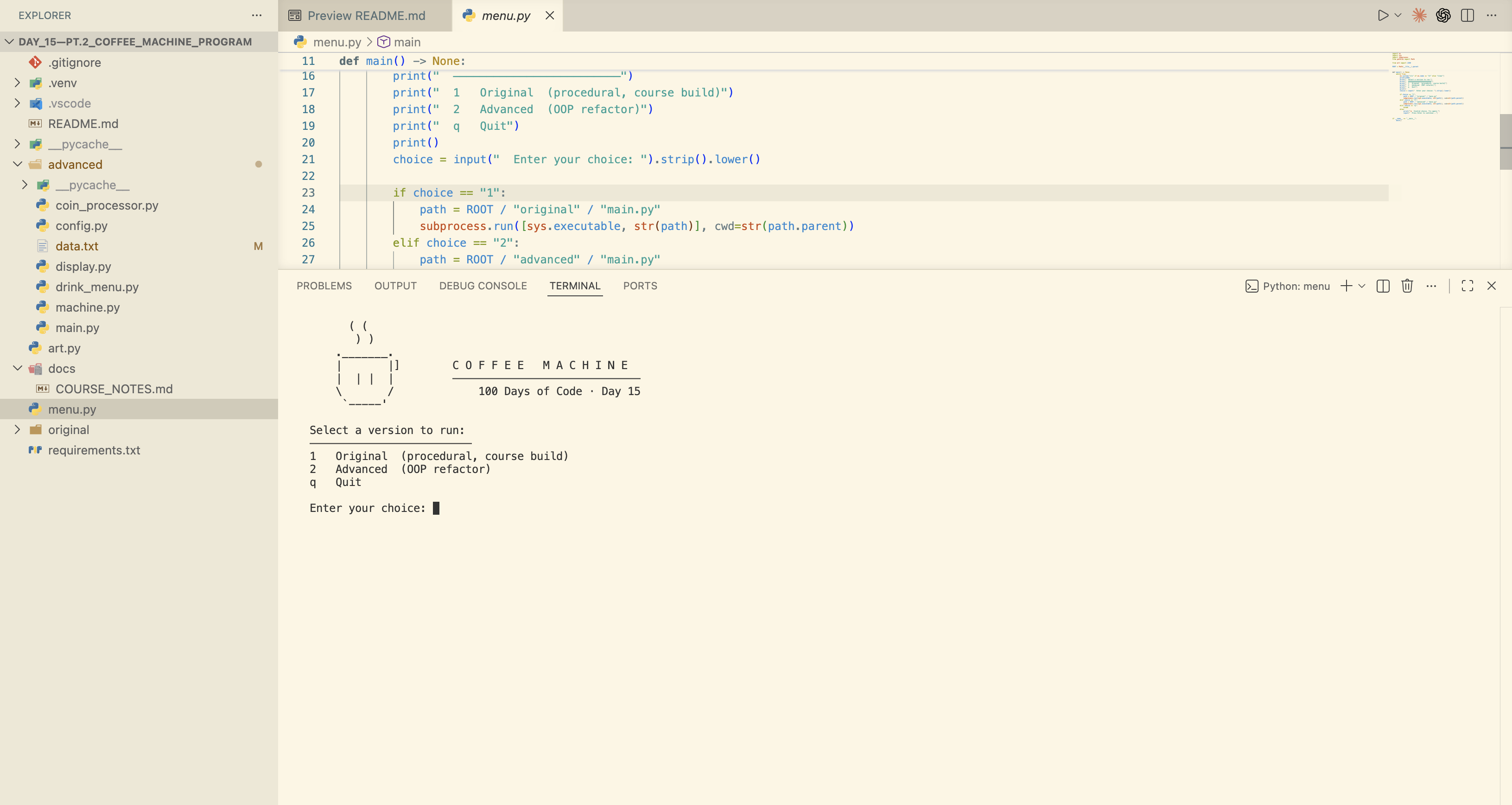
I restructured the repo around two builds: original/ preserves the course code verbatim as a reference point, and advanced/ is a full OOP refactor built on top of it. A root-level menu.py launcher uses subprocess.run with cwd= set to each build's directory, so both versions are accessible from a single entry point without touching any code. In the advanced build, all business logic lives in three pure classes -- CoffeeMachine, DrinkMenu, and CoinProcessor -- with zero print() or input() calls anywhere in them. Every terminal interaction is owned exclusively by a Display class, every constant lives in config.py, and lifetime revenue is persisted to data.txt across sessions.
Challenges
The trickiest issue was floating-point arithmetic on monetary values -- in Python, 0.1 + 0.2 evaluates to 0.30000000000000004, which meant the coin insertion loop condition could behave incorrectly on certain coin and price combinations. Wrapping every monetary operation in round(..., 2) fixed it, but catching it required actually tracing the arithmetic rather than assuming it would just work. Import resolution was another subtle one: setting cwd= in subprocess.run is what makes sibling imports like from config import ... resolve correctly inside the subprocess -- skip it and the build fails silently depending on how it was invoked. I also found two bugs in the original course code while cleaning it up: ordering_coffee wasn't reset on insufficient resources, and revenue wasn't tracked after a sale.
Results / Metrics
The project shows a clear before-and-after on the same problem -- procedural vs. OOP, mixed concerns vs. strictly separated -- which I think is more useful to a reader than either version alone. The advanced build's Display isolation means the entire terminal interface could be swapped for a GUI by replacing one file and touching nothing else, which is a fun thing to actually be able to say about your code. I learned that separation of concerns isn't just an organizational preference -- it's about what you can change or test independently without things breaking in unexpected places. If I extended this, I'd swap round() for Python's Decimal type for proper monetary arithmetic, and add a low-stock warning before resources run out rather than a hard stop after.
Screenshots
Click to enlarge.
Click to enlarge.