Habit Tracker — Pixela
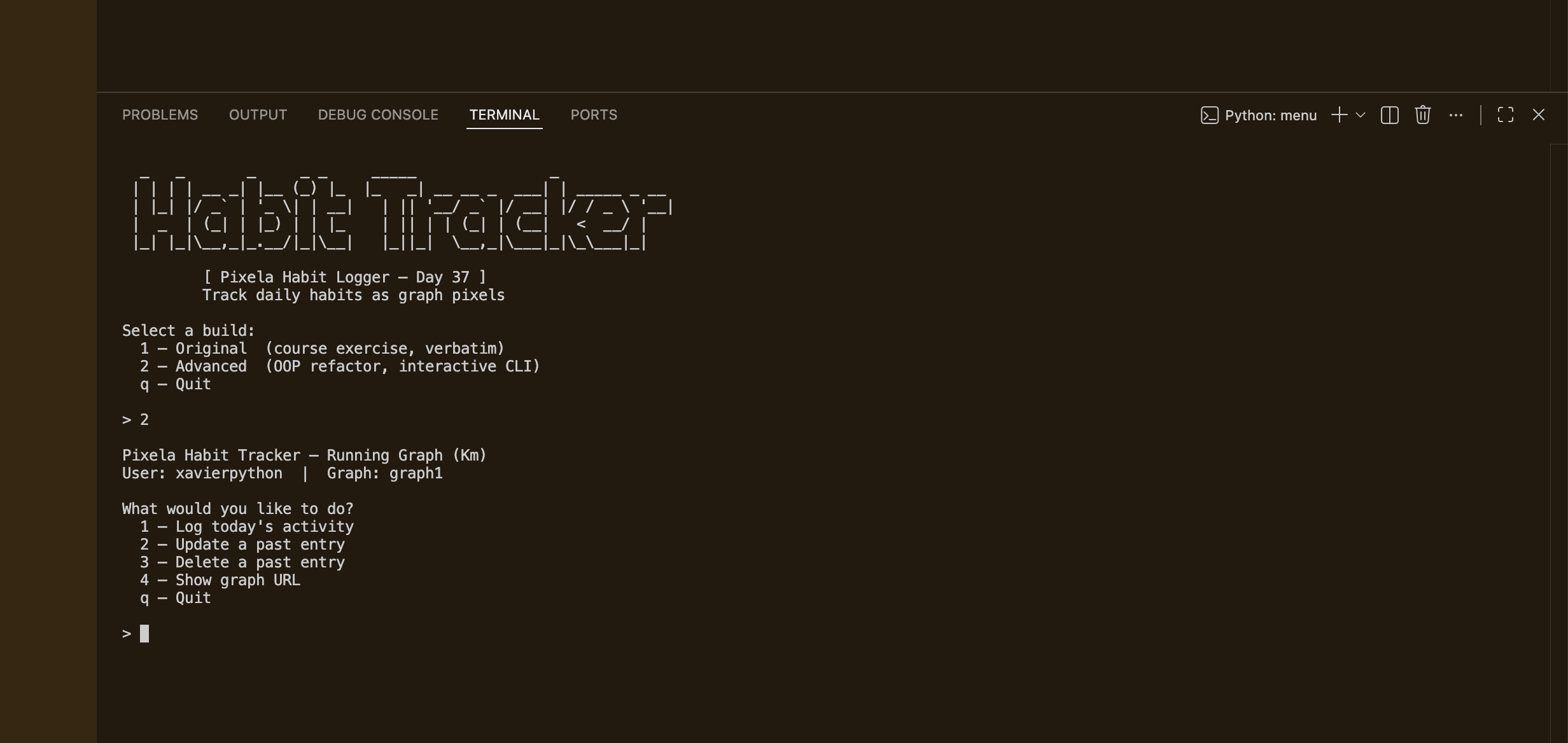
A two-build CLI habit tracker built around the Pixela pixel graph API. The original build walks through all six API operations sequentially, while the advanced build wraps everything in a PixelaClient class with an interactive menu, input validation, and graceful error handling. Built as Day 37 of 100 Days of Code, it covers REST API fundamentals — custom headers, JSON payloads, and HTTP verbs beyond GET.
Overview
Problem
Tracking habits manually is inconsistent — without a system, it's easy to forget to log or lose historical data. Pixela solves this with a minimalist pixel graph, but it's API-only: there's no app or UI, so you need code to interact with it. The course exercise only shows how to make a single hardcoded POST request, which means re-editing the script every time you want to log something different. And if you run it more than once, it crashes on the create-user and create-graph steps because they've already been done — making it impractical to use as a real daily tool.
Solution
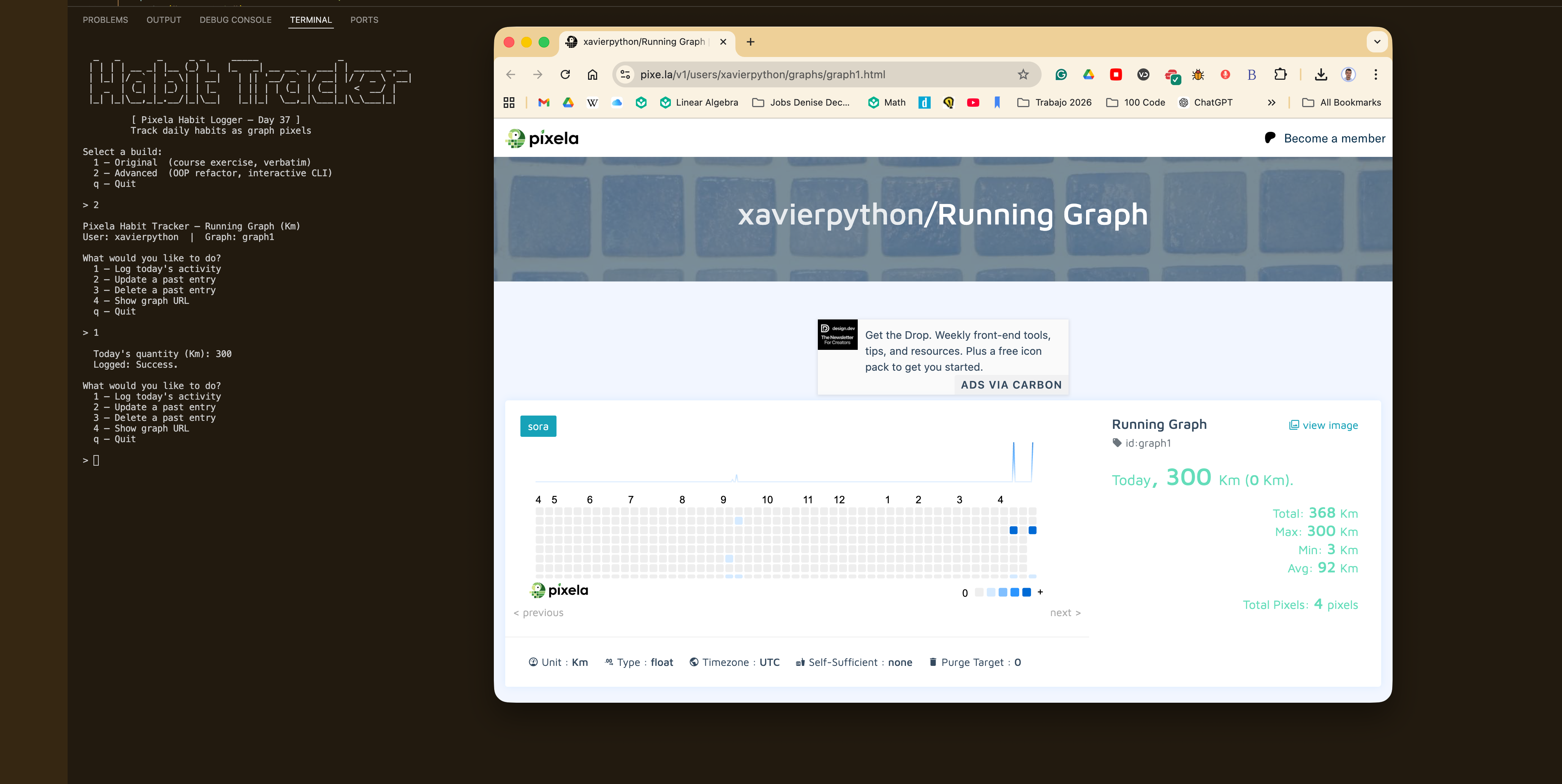
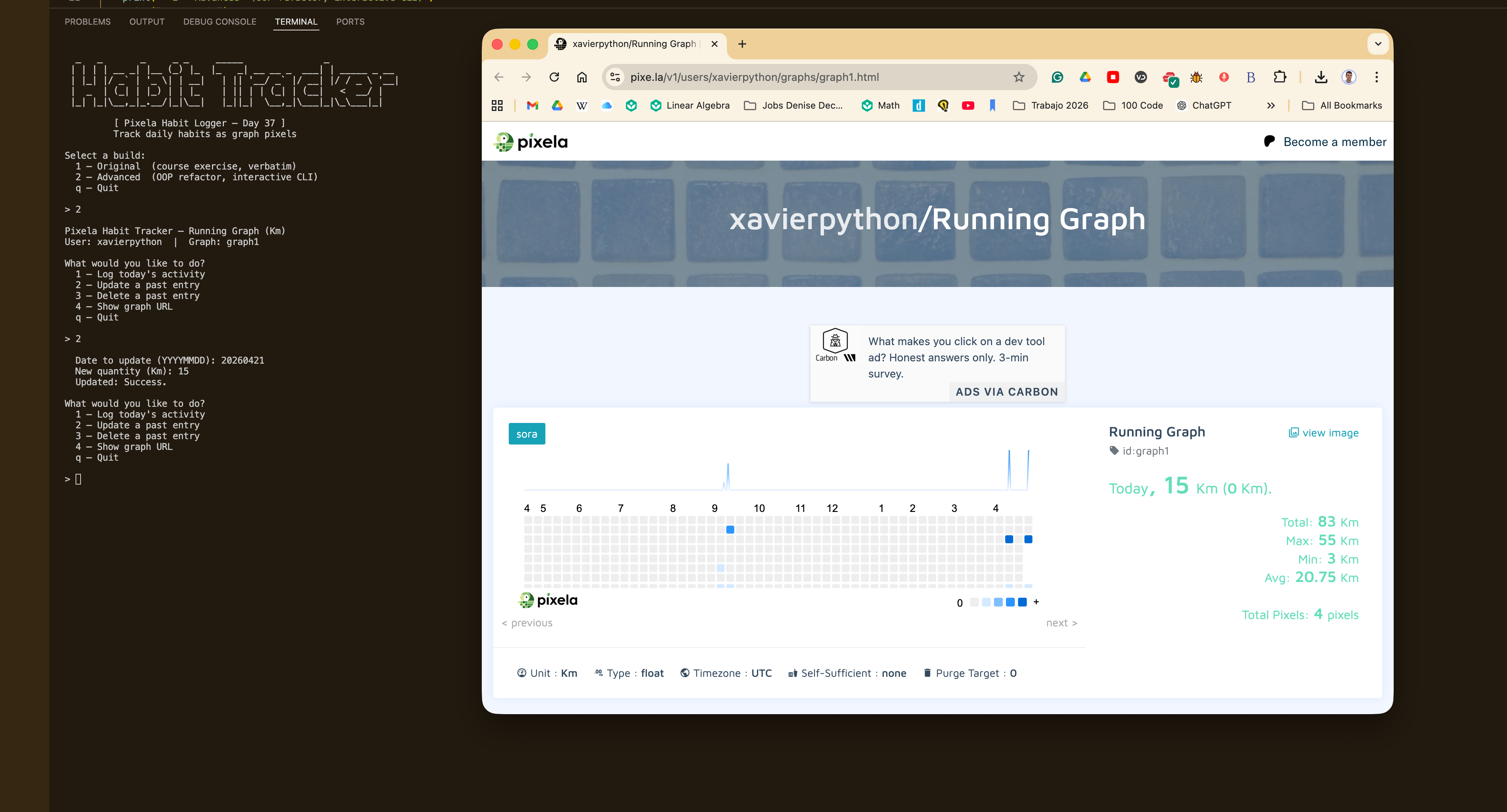
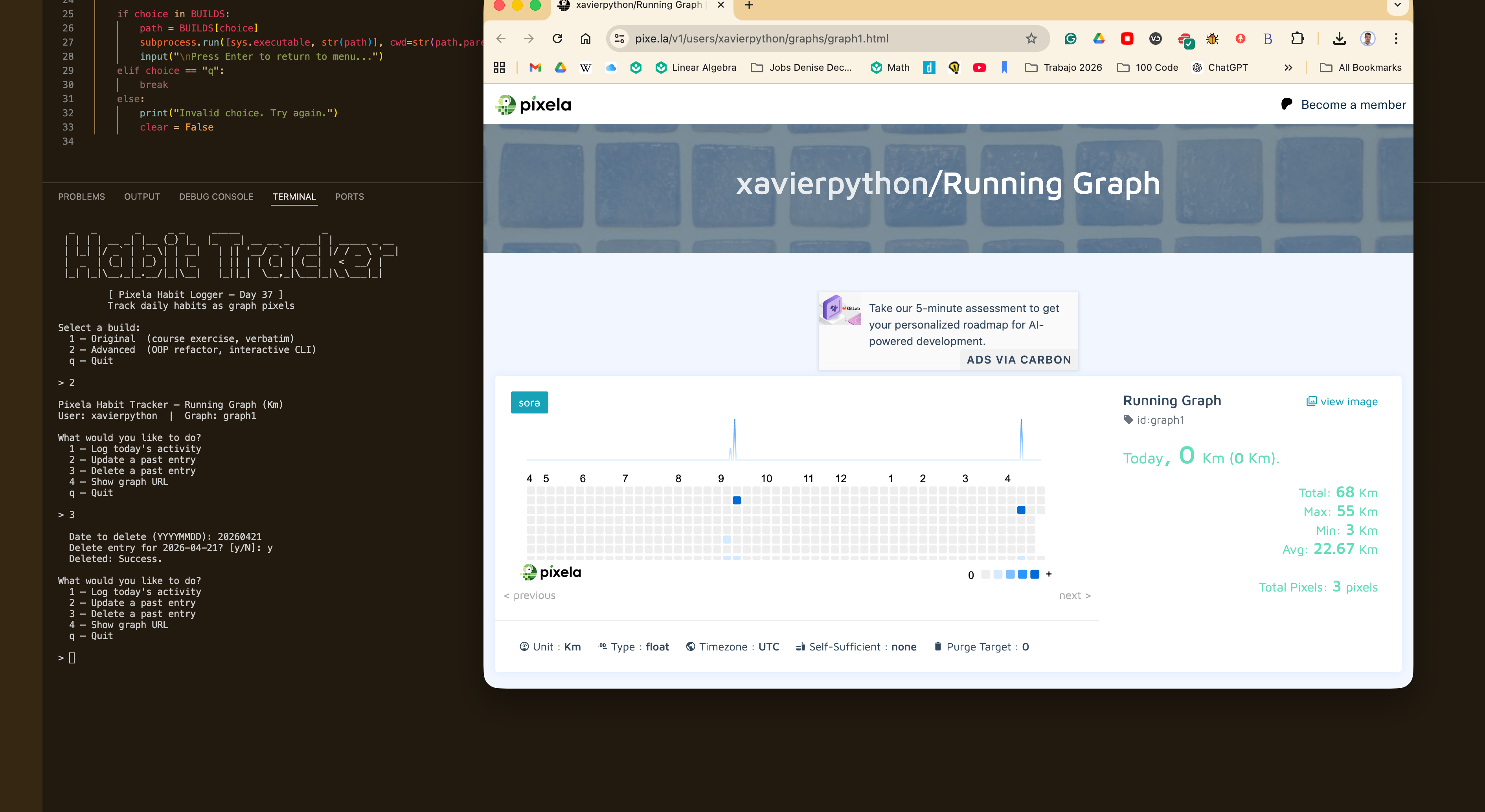
I built two builds on top of the course exercise. The original stays close to the course material but adds a quantity prompt and handles 409 responses gracefully, so it can be re-run safely every day. The advanced build refactors everything into a PixelaClient class that wraps all API calls in a shared requests.Session, attaching the X-USER-TOKEN header automatically to every request. An interactive menu loop lets you log today's activity, update a past entry, delete one, or view the graph URL — all without touching the code. Credentials are loaded from a .env file, and both username and token are validated against Pixela's own rules before any network request is made.
Challenges
The trickiest part was making the setup steps idempotent. Pixela returns HTTP 409 when a user or graph already exists, which raise_for_status() treats as a failure — so every run after the first would print scary-looking errors for steps that had actually succeeded. The naive fix would be to wrap everything in a blanket try/except, but that would also swallow real errors like auth failures or network timeouts. The solution was to intercept 409 specifically: check the status code before calling raise_for_status(), print a silent skip message, and let all other non-2xx codes fall through to the error handler as normal. Clean re-runs without hiding legitimate failures.
Results / Metrics
This project gave me a solid grounding in REST API design beyond just GET requests — custom headers, JSON request bodies, and the semantic difference between POST, PUT, and DELETE. The OOP refactor made me think carefully about separation of concerns: what belongs in the client versus the orchestrator. I also learned that idempotency is something you have to design for explicitly, not something APIs just hand you. If I were to extend this, I'd add a way to list recent pixels and show a text summary of the week, so you can review your history without opening a browser.
Screenshots
Click to enlarge.
Click to enlarge.